Procedure
This chapter documents the procedure for creating GitLab groups and repositories structured in a way that allows educators to easily manage auto-feedback scripts.
Personal access token
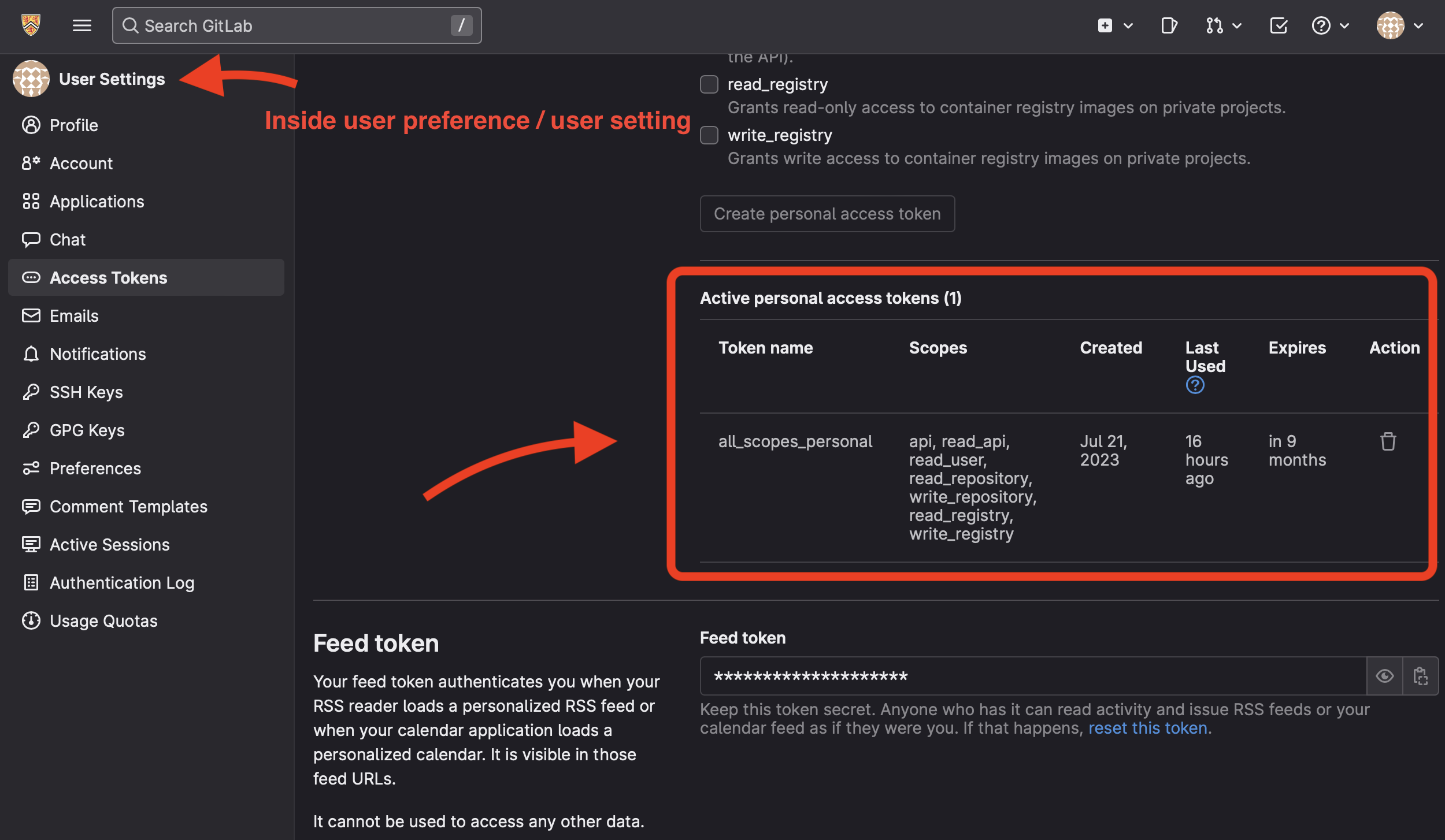
Let’s create the first personal access token using the web UI.
To make it easy, let’s grant all scopes for this token.
The official GitLab CLI, glab
glab becomes the official GitLab CLI in 2022. We will use it to interact with
GitLab without touching the web UI.
Setup
$ brew install glab
$ glab auth login
Afterwards, glab will create a config.yml file at (~/.config/glab-cli/config.yml).
A sample config is as:
git_protocol: ssh  # What protocol to use when performing Git operations. Supported values: ssh, https.
editor:
browser:
glamour_style: dark
check_update: true  # Allow glab to automatically check for updates and notify you when there are new updates.
display_hyperlinks: false
host: gitlab.com  # Default GitLab hostname to use.
no_prompt: false  # Set to true (1) to disable prompts, or false (0) to enable them.
# Configuration specific for GitLab instances.
hosts:
    gitlab.com:
        api_protocol: https
        api_host: gitlab.com
        # Your GitLab access token. To get one,
        # see https://docs.gitlab.com/ee/user/profile/personal_access_tokens.html
        token:
    git.uwaterloo.ca:
        token: <YOUR_ACCESS_TOKEN>
        api_host: git.uwaterloo.ca
        git_protocol: ssh
        api_protocol: https
        user: <YOUR_USER_NAME>
By default, glab uses gitlab.com as the default hostname. This means that if
you are not inside a Git repository, it will assume you are trying to contact
gitlab.com. You can change this default setting to better suit your needs.
Here are some changes I made to match my setup:
check_update: false
host: git.uwaterloo.ca
no_prompt: true
Let’s check the status
$ glab auth status
gitlab.com
  x gitlab.com: api call failed: GET https://gitlab.com/api/v4/user: 401 {message: 401 Unauthorized}
  ✓ Git operations for gitlab.com configured to use ssh protocol.
  ✓ API calls for gitlab.com are made over https protocol
  ✓ REST API Endpoint: https://gitlab.com/api/v4/
  ✓ GraphQL Endpoint: https://gitlab.com/api/graphql/
  x No token provided
git.uwaterloo.ca
  ✓ Logged in to git.uwaterloo.ca as h365chen (/Users/huanyi/.config/glab-cli/config.yml)
  ✓ Git operations for git.uwaterloo.ca configured to use ssh protocol.
  ✓ API calls for git.uwaterloo.ca are made over https protocol
  ✓ REST API Endpoint: https://git.uwaterloo.ca/api/v4/
  ✓ GraphQL Endpoint: https://git.uwaterloo.ca/api/graphql/
  ✓ Token: **************************